🍽
Pairings & serving
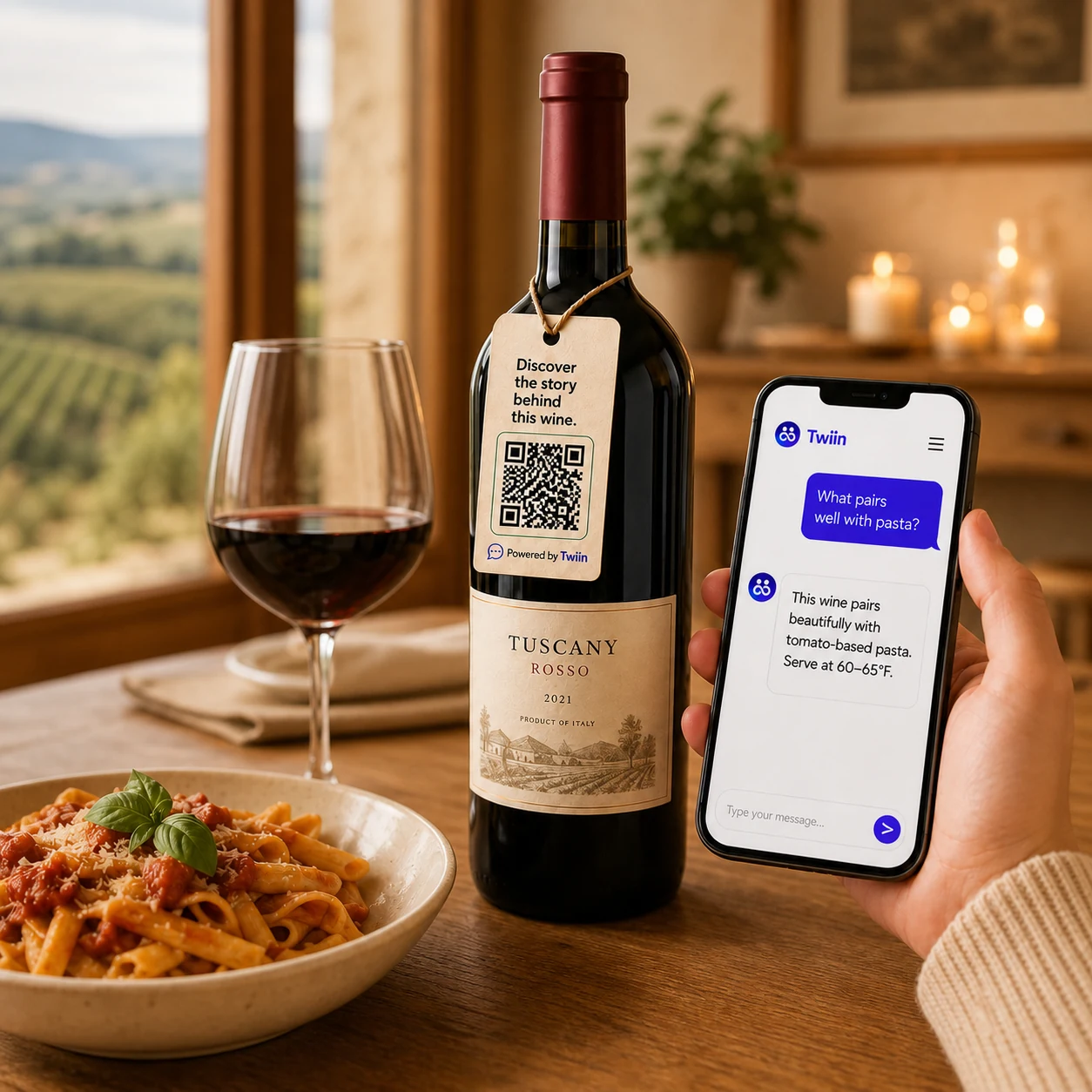
Suggest food pairings, serving temperatures, glassware, opening time, and storage guidance.
AI customer engagement for wineries
Customers scan a QR code. No app required. Twiin instantly answers questions, shares your story, recommends pairings, serving tips, what to try next, and guides customers toward their next bottle.
No app download · No code · Launch in minutes
See a winery Twiin in action
Let customers explore your wine in a natural conversation instead of hunting through a product page or waiting for an email.
What customers can ask
Your Twiin can bring the useful details, personal stories, and thoughtful recommendations normally available only when your best expert is standing nearby.
Suggest food pairings, serving temperatures, glassware, opening time, and storage guidance.
Explain varietals, vintages, vineyards, winemaking choices, flavor profiles, and what makes the wine distinctive.
Help customers discover another bottle based on taste, meal, occasion, budget, or a wine they already enjoy.
Share the people, land, values, and moments behind the label in a conversational way customers remember.
Explain tasting-room options, events, shipping, membership benefits, and how to take the next step.
Place access on bottles, neckers, displays, club shipments, emails, or your website—with no app download.
How it works
You already have the expertise. Twiin makes it easier for customers to reach.
Add tasting notes, technical sheets, FAQs, story, recommendations, wine-club information, and the boundaries it should follow.
Choose its identity, purpose, personality, voice, quick questions, and the wines it represents.
Launch a link or QR code for bottle neckers, labels, shelf talkers, menus, shipments, events, and online channels.
Business outcomes
Help customers choose with confidence and introduce relevant bottles from your portfolio.
Answer practical questions and make the next step easy when customer curiosity is highest.
Make your expertise available across every bottle without repeating the same explanations.
See the questions people ask and use those insights to improve content, sales, and service.
Control and continuous improvement
Monitor conversations and performance, review how your Twiin answers, and improve its knowledge whenever a new question or vintage appears.
⚡ Twiin-It is the quick way to add fresh knowledge, thoughts, memories, advice, or restrictions—more like posting a useful note than rebuilding your assistant.
“The 2025 rosé is now available in the tasting room and pairs beautifully with grilled seafood.”
More ways to use Twiin
Frequently asked questions
No. A customer scans the QR code or opens a link and chats with the winery Twiin in their phone browser.
You decide. Train it on tasting notes, pairings, serving guidance, production methods, your winery story, tasting-room details, wine-club information, and recommendations across your portfolio.
Yes. You choose the source material, purpose, tone, and restrictions. You can review how people use your Twiin, update its knowledge, and add quick guidance with Twiin-It.
Yes. The winery plan supports up to 10 wines, so one Twiin can guide customers across a focused portfolio while keeping the experience easy to manage.
Use it on bottle neckers, labels, shelf talkers, tasting menus, club shipments, tasting-room displays, event materials, or post-purchase emails.
Yes. Teach it when to suggest related wines, invite a tasting-room visit, or explain wine-club benefits—without turning every answer into a sales pitch.
A focused first Twiin can be created in minutes once your core wine information is ready. You can improve and expand it over time without coding.
You can instruct it to be transparent, avoid guessing, and direct the customer to your team. Those questions can also show you what knowledge to add next.
Every bottle has a story
See how a winery Twiin could turn your wines, expertise, and customer experience into helpful conversations—one scan at a time.