
After you have trained and tested your Twiin, the next decision is where people should access it.
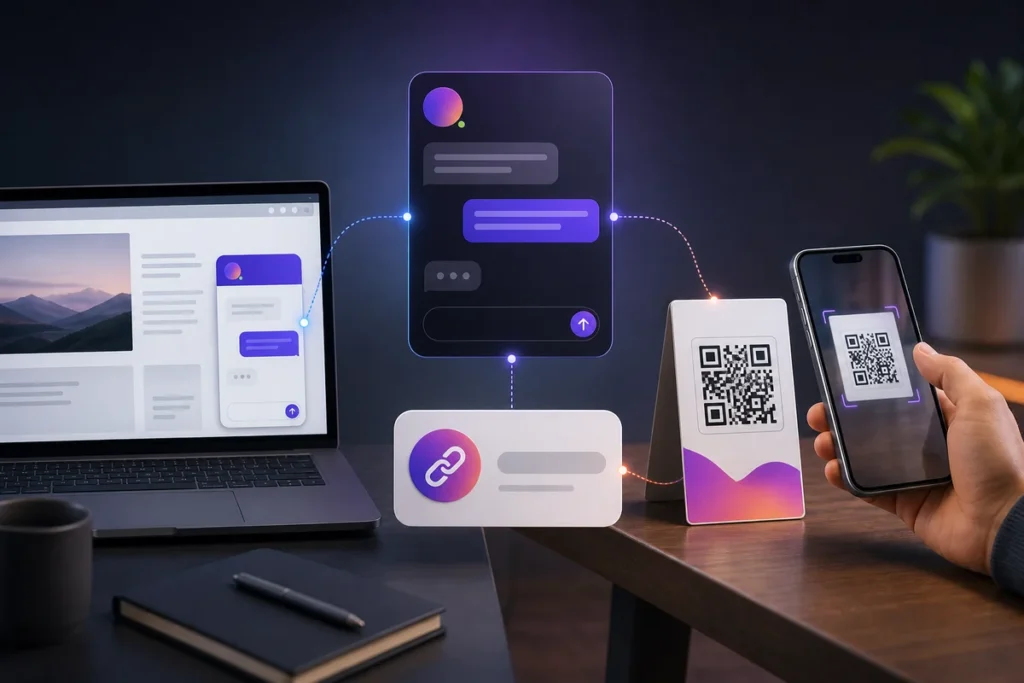
Twiin can move between digital and physical settings. You can share a direct link, embed the experience on a website, or connect it to a QR code. Each method solves a different access problem.
Before publishing, complete a readiness check
Confirm the following:
- Important answers are supported by current sources
- Outdated and conflicting information has been removed
- The Twiin clearly states its purpose
- Safety, privacy, and escalation boundaries are defined
- Questions outside its scope receive an honest response
- Links and contact instructions are current
- The experience has been tested on a phone
Publish only the knowledge appropriate for the intended audience.
Option 1. Share a direct link
A direct link is the simplest way to distribute a Twiin.
Use it in:
- Email signatures
- Customer messages
- Booking confirmations
- Course portals
- Social profiles
- Digital welcome guides
- Support replies
A link works well when the audience is already online and you want a fast launch without changing your website.
Introduce the link with a clear promise. “Ask our guest assistant about check-in, amenities, and local recommendations” is more useful than “Try our AI.”
Option 2. Embed Twiin on your website
Embedding brings the conversation into an existing customer journey.
Good locations include:
- Product pages
- Support pages
- Contact pages
- Booking pages
- Service pages
- Customer portals
Place the entry point near the questions it can answer. A product assistant belongs near specifications and buying information. A hotel concierge belongs near rooms, amenities, and guest information.
Do not let the embed hide essential content. Important policies, accessibility information, and legally required disclosures should remain available as normal webpage content.
Option 3. Publish with a QR code
A QR code is valuable when a question appears in a physical place.
Examples include:
- On a restaurant menu or table
- In a hotel room
- Inside a rental property
- On an RV or vehicle window
- Beside a product in a store
- Inside product packaging
- On event signs and handouts
- Near shared equipment
The code should lead directly to the relevant Twiin experience. Avoid sending users through unnecessary menus or downloads.
Design a QR code people will actually scan
Use strong contrast and sufficient size. Leave clear space around the code. Test it from the distance and angle customers will encounter.
Add a short instruction that explains the benefit:
- Scan to ask about this product
- Scan for RV help and rental policies
- Scan for hotel information
- Scan to explore ingredients and menu questions
The invitation matters. People are more likely to scan when they know what they will receive.
Match the Twiin to the placement
A generic company assistant may be too broad for a specific physical location.
If a QR code is attached to one RV model, the destination should prioritize that model. If the code is beside one product, the Twiin should understand that product’s specifications and compatibility. If it is in one rental property, it should not mix instructions from another location.
Context reduces confusion.
Test every publishing surface
Before launch:
- Open the direct link on multiple phones
- Test the website embed at desktop and mobile sizes
- Scan printed QR codes under real lighting
- Confirm that old codes still reach the intended destination
- Verify that private information is not exposed
- Test escalation links and contact details
Measure questions, not just visits
Traffic shows that people opened the Twiin. Questions show what they actually needed.
Review common questions and unanswered topics. Use that information to improve documentation, signage, staff training, product pages, and the Twiin itself.
Publishing is not the final step. It is when your customers begin showing you how to make the knowledge more useful.

