
What if customers, guests, students, clients, or followers could ask you a question at any time and receive an immediate answer based on your knowledge?
That is the idea behind Twiin.
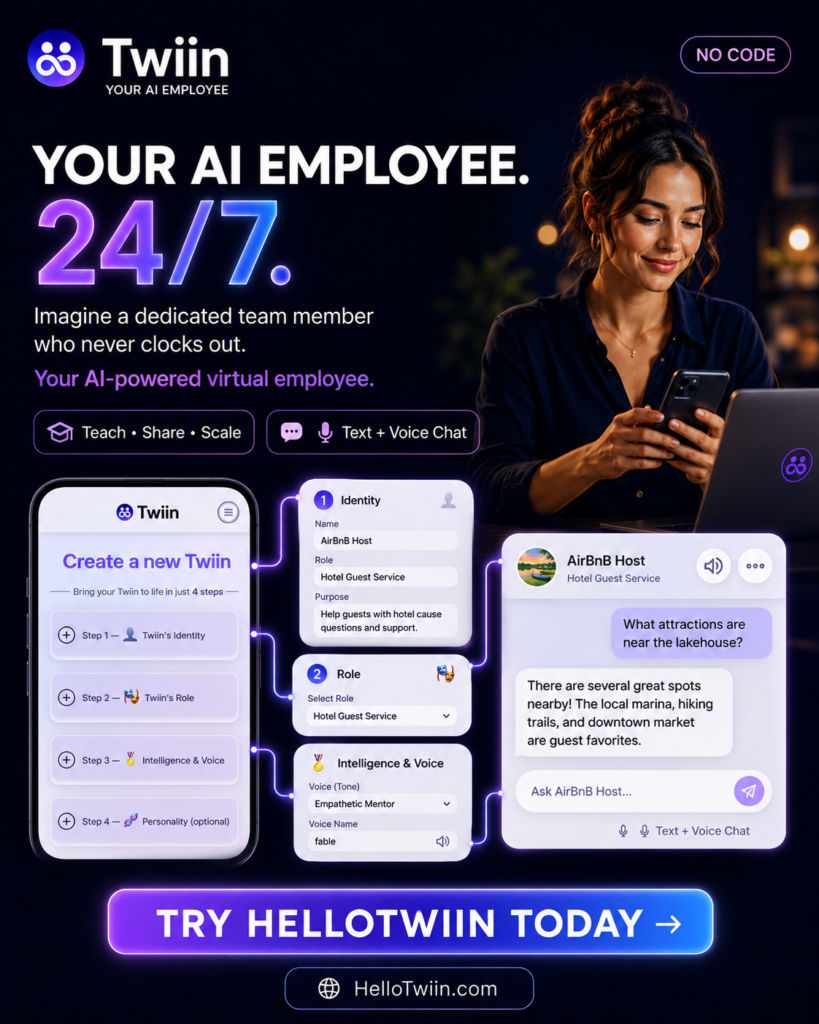
Twiin lets you create a virtual AI employee that represents you or your business 24/7. You give it an identity, a job, reliable information, clear boundaries, and a personality. Twiin turns that material into a conversational experience people can open through a simple link or QR code—without downloading an app.
In this introduction, you will learn what a Twiin is, see a live Twiin in action, and follow the steps to create your own.
What is Twiin?
A Twiin is an AI-powered representative trained on the knowledge you choose to share. It can answer questions, explain services, guide customers, teach, coach, advise, provide product help, support guests, or represent your expertise when you are unavailable.
Think of it as a virtual employee with a carefully defined role.
Unlike a generic chatbot, a Twiin is built around a specific person, business, property, product, or purpose. You decide:
- Who the Twiin represents
- Who it should help
- What job it should perform
- What information it should know
- How it should communicate
- What it must never do
For example, a hotel can create a guest-service Twiin that answers questions about breakfast, parking, amenities, and checkout. A coach can create a mentoring Twiin trained on their frameworks and lessons. A retailer can place a QR code beside a product so shoppers can ask about features and compatibility. A restaurant can make menu and service information available around the clock.
A Twiin can also represent an artist, engineer, tutor, technical advisor, real estate professional, faith leader, support specialist, content creator, or another knowledge-based role.
Why businesses and experts use Twiin
The value is simple: your useful knowledge becomes easier to access and easier to scale.
A Twiin can:
- Answer frequent questions instantly
- Make your expertise available 24/7
- Give customers help at the moment they need it
- Reduce repetitive support conversations
- Preserve your preferred tone, logic, and boundaries
- Be shared through a website link, message, social profile, or QR code
- Grow smarter as you add and improve its knowledge
Twiin requires no coding. If you can describe a job and upload or paste useful information, you can begin creating one.
See a Twiin in action
The fastest way to understand Twiin is to talk to one.
Try a live Twiin here:
Open the link and ask a natural question. You do not need to learn special commands or download an app. Simply type the way you would speak to a person.
Try questions such as:
- Who are you?
- What can you help me with?
- What is your area of expertise?
- Explain one of your ideas in simple terms.
- What advice would you give someone who is just getting started?
Notice that the experience feels like a conversation rather than a search box. The Twiin uses its assigned identity, role, knowledge, and communication style to produce an answer.
Create your own Twiin
The creation page is organized into three core steps—identity, role, and intelligence—plus an optional personality section. After those details are saved, Twiin prepares its knowledge and takes you to the publishing controls.
Before you start, choose one clear job for your first Twiin. A focused Twiin is easier to train, test, and improve than one expected to answer every possible question.
Good first projects include:
- A guest assistant for one hotel or rental property
- A product-help assistant for one product line
- A tutor for one subject
- A coach based on one framework or program
- A customer-service assistant for common business questions
- A digital representative for your professional expertise
Step 1: create the Twiin’s identity
Identity tells visitors who they are speaking with and establishes the context for every conversation.
Complete the following fields:
Select a virtual job
Choose the job title closest to the work your Twiin will perform. Available roles may include Hotel Guest Service, Executive Coach, Tutor, Technical Advisor, Support Specialist, Restaurant Server, Retail Sales Associate, Real Estate Agent, Artist, Engineer, and others.
The job title gives the Twiin useful context, but the detailed purpose you write in the next section is what makes the role specific.
Choose the access level
Choose public access when anyone with the link should be able to use the Twiin. This is useful for websites, QR codes, customer support, hospitality, product information, and public-facing expertise.
Only include information that is safe for the intended audience. Never upload passwords, payment details, personal customer records, private access codes, or confidential business data to a public Twiin.
Give the Twiin a name
Use a short name visitors will immediately understand. Examples include:
- Lakeview Guest Host
- Acme Product Guide
- Maya’s Coaching Twiin
- Northside Restaurant Assistant
- Algebra Tutor
Describe who it represents and who it helps
Write one or two direct sentences. For example:
This Twiin represents Lakeview Cottage and helps current and prospective guests with questions about arrival, amenities, house guidelines, equipment, checkout, and nearby services.
Choose the URL slug
The slug becomes part of the Twiin’s shareable address. Keep it short, recognizable, and easy to type. Avoid information that is likely to change.
Step 2: define the Twiin’s role
The role section explains what the Twiin should accomplish and where its authority ends.
Write the purpose
Describe the audience, the questions the Twiin should handle, the result it should create, and what to do when information is missing.
Example for a hotel or vacation rental:
Help guests get accurate, concise answers about arrival, parking, amenities, Wi-Fi, appliances, house rules, checkout, accessibility, and local recommendations. Use the supplied property information as the source of truth. Give short step-by-step instructions when helpful. If the answer is not available, say so clearly and direct the guest to the host or front desk.
Add restrictions
Restrictions are not an afterthought. They keep the Twiin focused, safer, and more trustworthy.
Example:
Do not reveal or guess passwords, door codes, alarm codes, payment information, private customer information, or confidential business details. Do not approve refunds, discounts, policy exceptions, reservations, or purchases. Do not invent an answer. Escalate emergencies, safety concerns, missing information, and requests requiring human authorization to the appropriate person.
Adjust the restrictions for your industry. A financial, legal, health, safety, or investment-related Twiin should have especially clear limits and should never imply that general information replaces qualified professional advice.
Step 3: add intelligence
Intelligence is the information your Twiin uses to answer questions.
You can upload supported PDF, text, or CSV files. You can also type or paste additional intelligence directly into the form.
Useful material includes:
- Frequently asked questions
- Product or service guides
- Brochures and menus
- Policies and procedures
- Training material
- Price lists
- Property or guest manuals
- Troubleshooting instructions
- Lesson notes and coaching frameworks
- Approved recommendations and escalation contacts
- Clean transcripts from useful videos
Quality matters more than volume. Begin with current, organized information that directly supports the Twiin’s job. Use descriptive headings, remove duplicates, and resolve contradictions before uploading.
If two documents contain different opening hours, prices, or policies, the Twiin cannot know which one is correct. Clean source material produces more reliable answers.
Use the Additional Intelligence field for practical context that may not live in a formal document, such as preferred terminology, common misunderstandings, the order in which instructions should be given, or when a user should be referred to a person.
Step 4: choose a personality
Personality is optional, but it helps make the experience appropriate for the audience and job.
Available traits may include:
- Warm and Approachable
- Curious and Attentive
- Kind-hearted and Positive
- Confident and Authentic
- Humorous and Empathetic
You can also select relevant knowledge strengths, such as Practical, Technical, Social, Linguistic, Cultural, Spatial, or Emotional Knowledge.
Choose traits that help the Twiin perform its job. A guest-service Twiin may be warm, attentive, and practical. A technical advisor may need to be confident, precise, and technically knowledgeable. A coach may benefit from empathy and attentive communication.
Avoid selecting traits simply because they sound appealing. Every choice should support the user experience.
Create and train the Twiin
Review the identity, role, intelligence, restrictions, and personality. When everything is ready, select Create My Twiin.
Twiin then prepares the workspace, organizes the knowledge, builds the memory base, and updates the digital Twiin.
Training can continue in the background. You will receive an email when the process is complete.
Prepare the Twiin for visitors
After creation, use the publishing page to shape the visitor-facing experience.
Add an avatar
Choose an avatar connected to the person, business, product, property, or subject represented. A clear, friendly image helps visitors understand what the Twiin is about before asking a question.
Add quick questions
Quick questions help visitors begin immediately. Replace generic prompts with questions that reflect the Twiin’s most useful jobs.
Examples include:
- What can you help me with?
- How do I get started?
- What services do you offer?
- Which product is right for me?
- How do I check in?
- What should I do before checkout?
Put the most common or valuable questions first.
Choose the voice and tone
Tone options may include Friendly Conversationalist, Professional Advisor, Empathetic Mentor, Confident Coach, Storyteller, or Inspirational Speaker.
Select a voice name, add an optional custom speech pattern, and use Play Test before publishing.
A useful custom speech pattern might be:
Friendly, clear, and concise. Answer the question in the first sentence. Use short numbered steps for instructions. Avoid unnecessary jargon. If the answer is not supported by the supplied knowledge, say so and explain how the user can contact a person.
Test before you publish
Ask questions that real users are likely to ask, including incomplete, informal, and unexpected questions.
Test at least four areas:
- Normal questions the Twiin should answer
- Questions whose answers are missing from the knowledge
- Requests the Twiin is not authorized to approve
- Sensitive or unsafe questions covered by the restrictions
Check that the answers are accurate, concise, on-brand, and honest about uncertainty. When an answer is weak, improve the source information or instructions and test again.
Publish and share
When the experience is ready, select Publish. Your Twiin can then be shared through its link or a QR code.
Place the link on your website, social profile, email, digital guide, or customer message. Place a QR code where the question happens—for example at a hotel reception desk, inside a rental property, beside a product, on printed material, or inside a package.
Visitors can open the Twiin in their browser. No app download is required.
Start with one useful job
Your first Twiin does not need to know everything. It needs to perform one useful job reliably.
Choose a real audience. Add accurate knowledge. Set clear limits. Test normal and difficult questions. Then publish, observe what people ask, and improve the Twiin over time.
That is how your experience, business knowledge, or customer support becomes available when people need it—even when you are busy or offline.
Ready to experience Twiin?
Meet a live Twiin: https://hellotwiin.app/tom-mckay
Create your own Twiin: https://hellotwiin.com/

